What Is OCR for Financial Documents? A Plain-English Guide
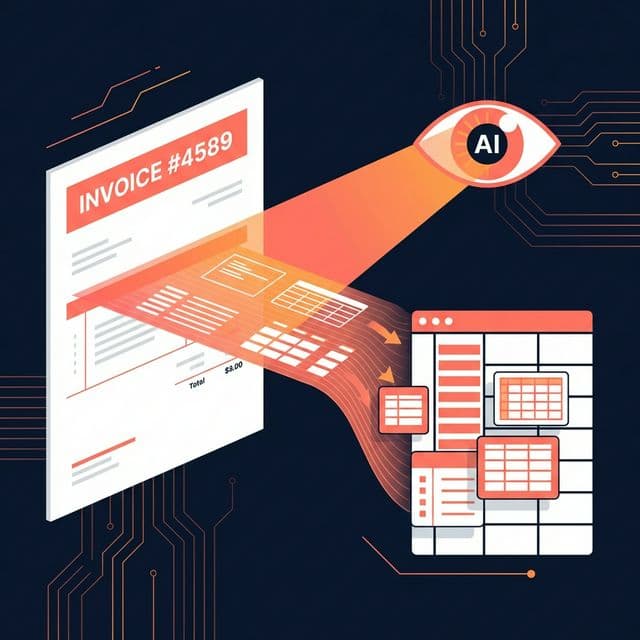
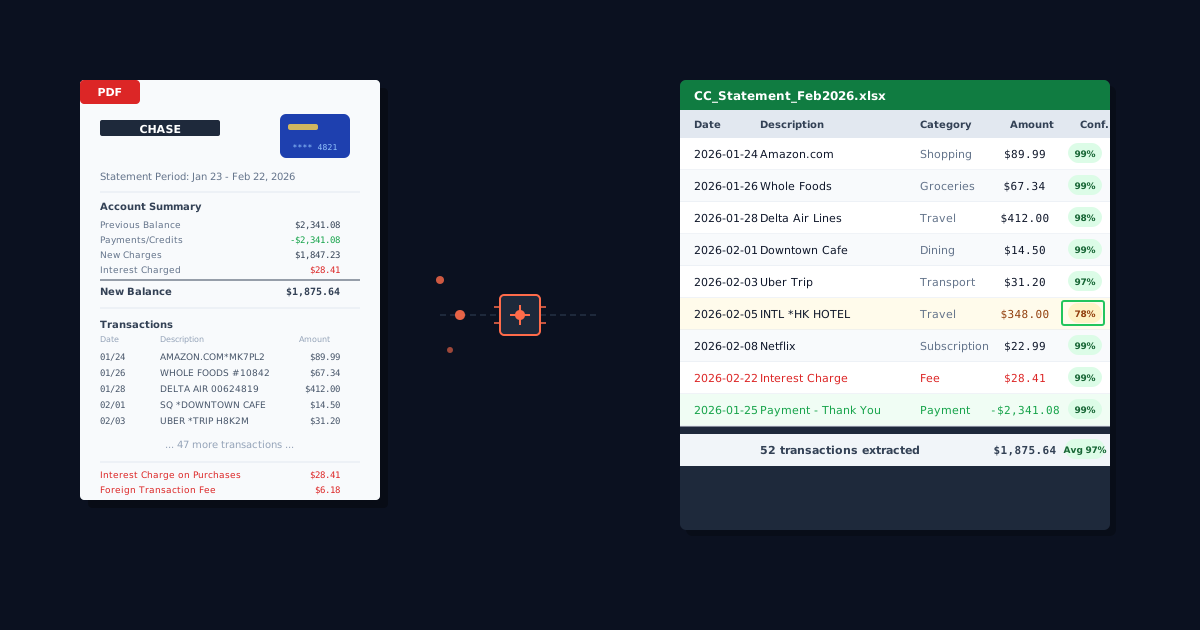
You download a 12-page bank statement from your client's bank. The data you need — every transaction, date, amount, and description — is right there on the page. But it's locked inside a PDF. You can see it, but your spreadsheet can't.
This is the exact problem OCR (Optical Character Recognition) was built to solve — turning printed or digital text into data that software can actually use. But here's the catch: standard OCR was designed for simple documents like letters and forms, not for the complex tables and layouts found in financial documents.
In this guide, we'll break down what OCR actually is, how it works, why it consistently fails on bank statements and invoices, and what the modern alternative looks like.
If you're already familiar with OCR and just want to see AI-powered financial extraction in action, try ParseField free — but read on if you want to understand the technology behind it.What Is OCR? (The 60-Second Version)
Optical Character Recognition (OCR) is technology that converts images of text (scanned documents, photos, PDF files) into machine-readable text. It has been around since the 1960s, originally used for reading printed mail and checks.
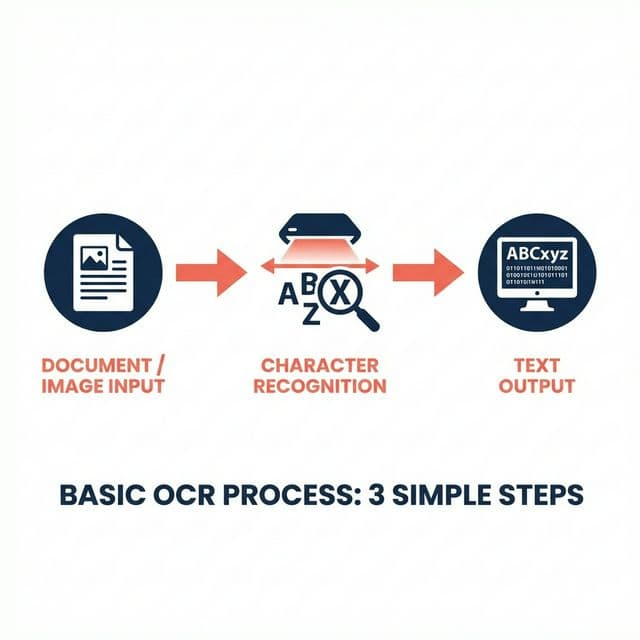
The basic process happens in three steps:
- Document Input: The software receives an image or PDF.
- Character Recognition: It identifies where text characters are on the page (shapes, lines, curves).
- Text Output: It converts those characters into editable, searchable text.
Modern OCR is quite good at reading text on simple documents — letters, articles, single-column pages. But reading text is only step one. For financial documents, the hard part isn't reading the words — it's understanding the structure.
Why Standard OCR Fails on Financial Documents
You might have used a free online converter and noticed the results were... messy. Here is why standard OCR struggles specifically with finance.
The Table Problem
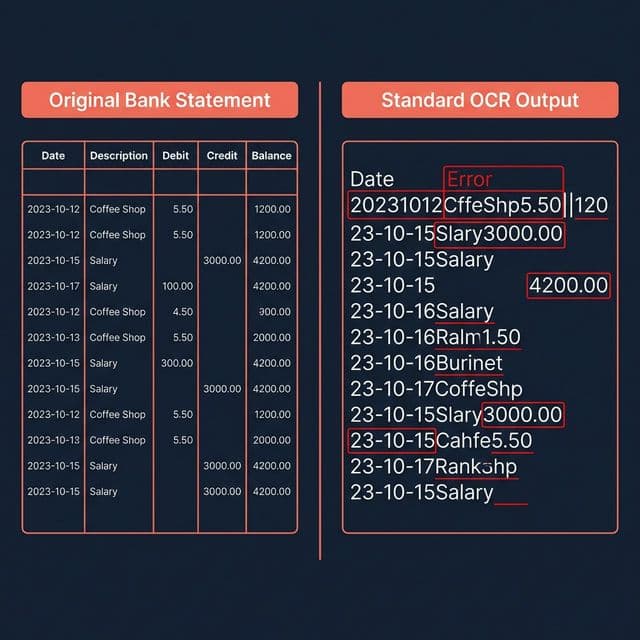
Financial documents are built around tables — rows, columns, headers, subtotals. Standard OCR reads text left-to-right, top-to-bottom, like reading a book. It doesn't understand that "Jan 15" in column 1 belongs with "$2,450.00" in column 4 of the same row.
As a result, data gets scrambled. Dates merge with descriptions. Amounts end up in the wrong columns. Subtotals get mixed with transaction amounts.
Imagine a bank statement with columns for Date, Description, Debit, Credit, and Balance. Standard OCR might read an entire row as a single string: "Jan 15 Amazon Purchase 84.50 2,341.17" — with no way to know which number is the debit and which is the balance.
Multi-Column and Multi-Page Layouts
Bank statements from different banks use completely different layouts. Some have 3 columns, others have 5. Some split debits and credits, others use a single amount column with positive/negative values.
Multi-page statements add another layer: headers repeat, page breaks split transactions mid-table, and running balances reset. Standard OCR has no concept of "this table continues on the next page," often treating headers on page 2 as new data rows.
Formatting Variations
Financial documents contain mixed formatting: bold headers, italic notes, small print disclaimers, logos, and watermarks. Numbers can appear as "$1,234.56" or "1234.56" or "(1,234.56)" for negatives.
OCR might read a comma as a period, misread a "1" as "l", confuse "0" with "O", or drop decimal points. In a letter, misreading one character is a typo. In a financial document, misreading one digit is a reconciliation nightmare.
How AI-Powered Financial OCR Is Different
This is where modern AI-powered extraction breaks away from traditional OCR. Instead of just reading characters, it understands documents.
It Understands Document Structure
AI-powered financial OCR (like ParseField) is trained specifically on thousands of financial documents. It recognizes table structures, column relationships, headers, and row groupings. It knows that a date column contains dates, an amount column contains numbers, and a description column contains text — even if the headers are missing or formatted differently across banks.
It Handles Variation Automatically
Because the AI has seen thousands of bank statement and invoice formats, it adapts to new layouts without manual configuration. Chase, Bank of America, HSBC, local credit unions — the AI adjusts to each format naturally. Multi-page documents are processed as a single continuous table, not page-by-page fragments.
It Validates What It Reads (Confidence Scoring)
Most OCR tools give you output and leave you to figure out if it's right. ParseField scores every single extracted field with a confidence percentage.
If a transaction amount is extracted with 99% confidence, you can trust it. If a field scores 72%, you know to double-check that specific value. This turns review from "check everything manually" into "check only the flagged fields" — which is dramatically faster.
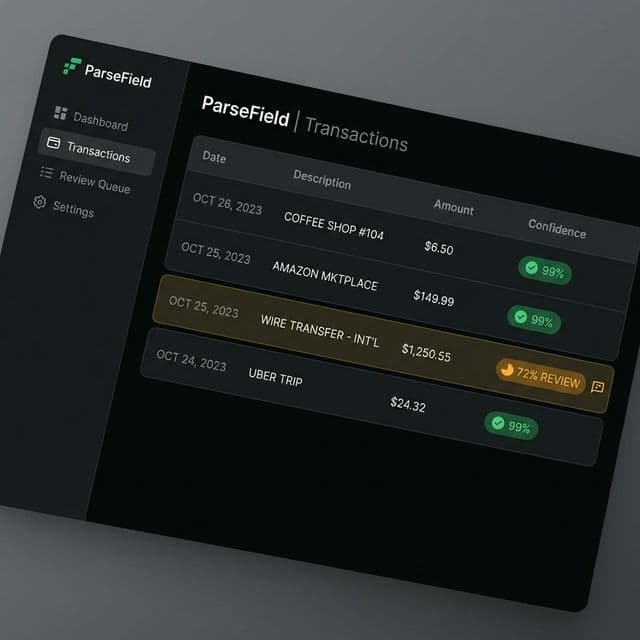
See the difference yourself: Upload a bank statement and watch ParseField extract every field with confidence scores — no more guessing which values to trust.
When Do You Need Financial-Specific OCR?
Should you switch? Here is a simple framework:
- You DON'T need it if: You convert one or two short statements per year. Manual copy-paste is fine for occasional, simple tasks.
- You SHOULD consider it if: You process bank statements or invoices regularly (weekly or monthly), work with multiple bank formats, need accurate data for reconciliation or reporting, or spend more than 30 minutes per week on manual data entry from PDFs.
- You DEFINITELY need it if: You're a bookkeeping firm handling statements for multiple clients, you process 10+ documents per month, or accuracy is non-negotiable (tax preparation, audits, compliance).
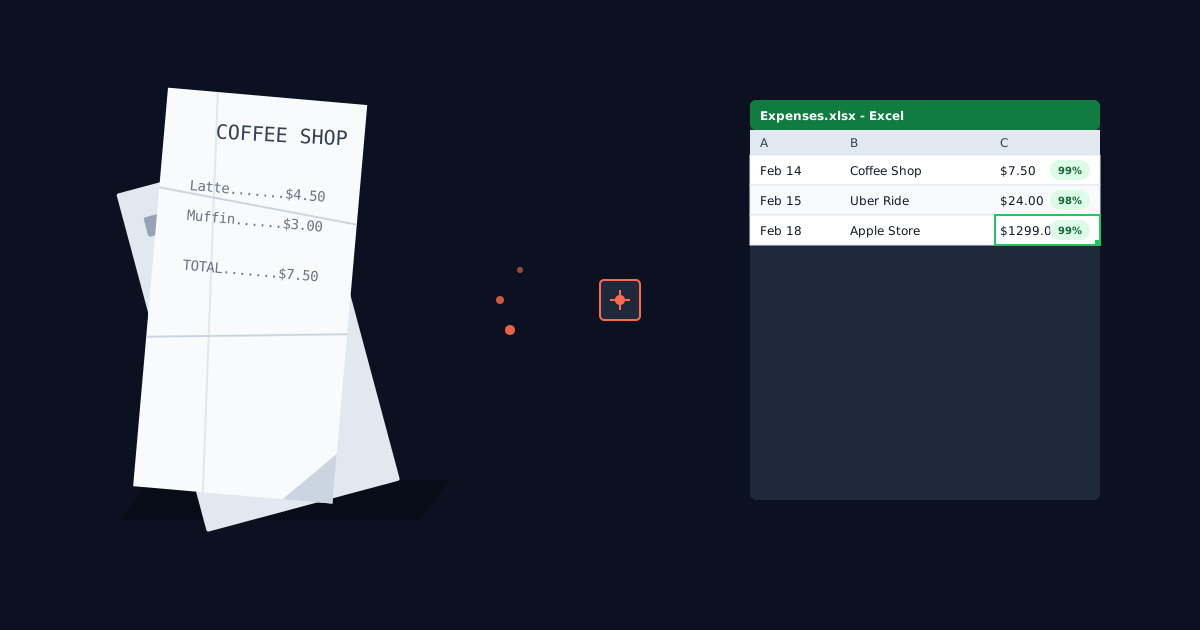
For a practical example of how this technology applies to expense tracking, read our guide on how to convert receipts to spreadsheets.
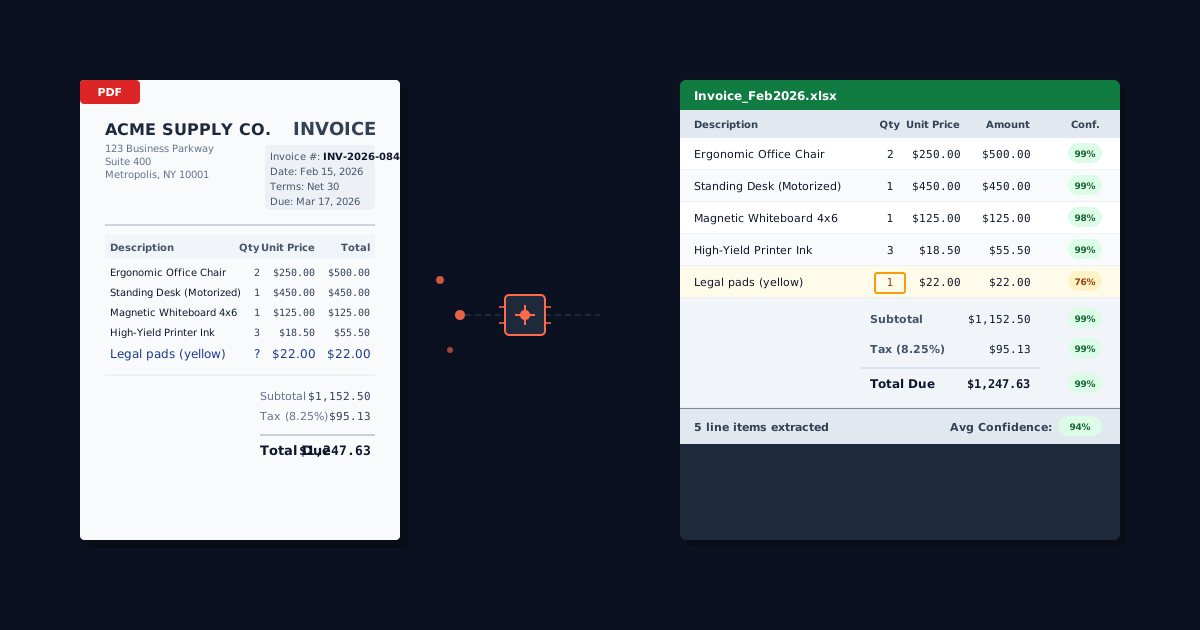
If you process vendor invoices with line items, tax breakdowns, and payment terms, see our guide on converting PDF invoices to Excel — invoices present their own extraction challenges beyond what bank statements require.
For a hands-on comparison of bank statement conversion tools (including free options), check out our guide to Bank2CSV alternatives.
How to Get Started with AI-Powered Financial OCR
- Pick a tool built specifically for financial documents (not a generic PDF converter).
- Test it on your own documents — every tool claims accuracy, but your bank statements are the real test.
- Look for field-level confidence scoring — this is the only way to trust automated output without manually checking every value.
- Start with a free tier to evaluate before committing.
ParseField offers a free tier so you can test it on your own bank statements and invoices before deciding. There's no signup friction and no credit card required.
Conclusion
OCR has been around for decades, but standard OCR was never designed for the complexity of financial documents. Tables, multi-column layouts, varying bank formats, and the critical importance of numerical accuracy make financial documents a fundamentally different challenge.
AI-powered financial OCR solves this by understanding document structure, adapting to formats, and — most importantly — giving you confidence scores so you know exactly what to trust. The technology isn't just faster than manual entry. It's more reliable than generic converters. And it gives you something no other method does: certainty about your data.
Stop guessing if your data is right
ParseField extracts every field from your bank statements and invoices with AI-powered accuracy — and shows you a confidence score on every value. Try it on your own documents for free.
Start Free →
Frequently Asked Questions
Is OCR the same as AI document extraction?
▼
Traditional OCR only reads characters from images or PDFs. AI document extraction goes further — it understands document structure, table layouts, and field relationships. Think of OCR as reading individual words, and AI extraction as understanding the whole page.
Can OCR handle scanned paper bank statements?
▼
Yes, but quality matters. For best results, scan at 300 DPI or higher with the page straight and well-lit. AI-powered tools like ParseField can handle scans, but original digital PDFs from your bank will always give the most accurate results.
How accurate is AI-powered financial OCR compared to manual data entry?
▼
AI extraction typically achieves 95–99% accuracy depending on document quality. The advantage of confidence scoring is that you instantly know which fields fall below your accuracy threshold, so you only need to manually verify a small fraction of the data instead of checking everything.
Does ParseField work with invoices too, or just bank statements?
▼
ParseField handles both bank statements and invoices, as well as receipts and other financial PDFs. The AI is trained on a wide variety of financial document formats.